Windows
This guide covers the installation and configuration of Aladdin SDS on Windows systems. You'll learn how to install the application as a Windows Service and configure it to communicate with your IoT Edge server.
Run as a Windows Service
Follow these steps to run the Aladdin SDS as a Windows Service:
-
Download the .msi installer from Aladdin SDS Releases page.
-
Downloading the latest available release is recommended. Run the installer and follow the installation wizard.
-
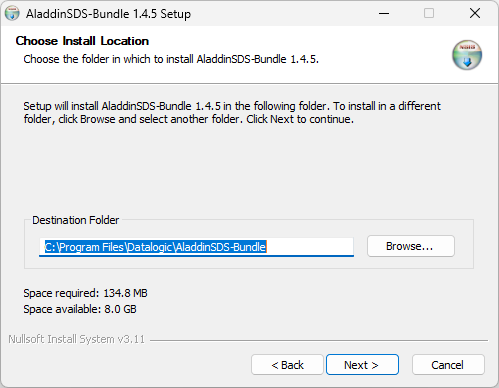
Select the installation folder for AladdinSDS:
-
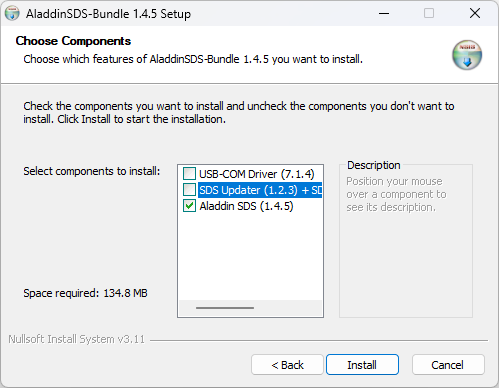
Before running the installation, be sure to unselect the SDS Updater component:
-
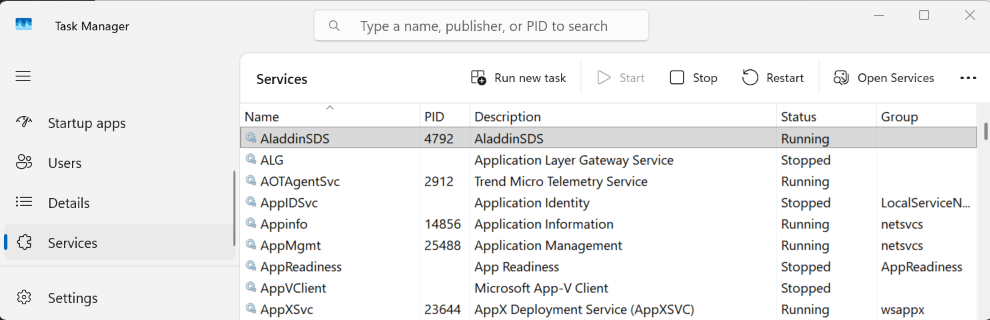
At the end of the installation, check if AladdinSDS is running in the task manager:
-
To enable the communication with the IoT Edge server, open the installation path:
C:\ProgramData\Datalogic\AladdinSDS
Edit the config.toml file, replacing localhost with the IoT Edge Server IP address:
# ----------------------------------------------------------------------------
# [edge] - Edge Gateway Configuration
# ----------------------------------------------------------------------------
# Settings for communicating with the Datalogic edge gateway.
[edge]

# host - Edge gateway hostname or IP address
#   Network address of the edge gateway for cloud connectivity.
#   Values:
#     - "localhost": Gateway running on same machine (development/testing)
#     - IP address: Remote gateway (e.g., "192.168.1.100")
#     - Hostname: DNS-resolvable name (e.g., "edge-gateway.local")
host = "localhost"
Always back up the config.toml file before making changes, as an incorrect configuration may prevent the service from starting.
-
Once you've updated the
config.tomlfile with the correct IoT Edge server address, you need to restart the service for the changes to take effect. To apply the configuration you must restart the AladdinSDS service.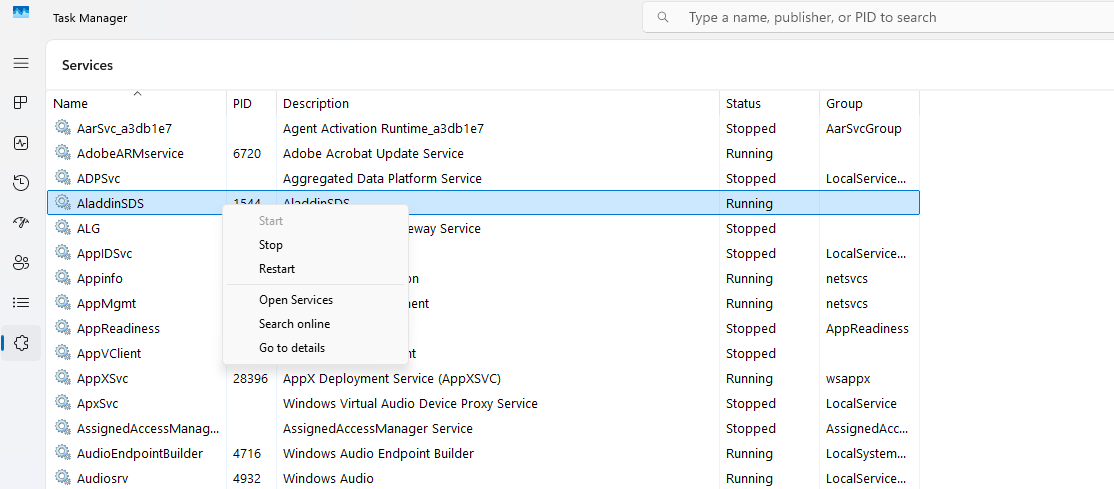
You can find the OpenAPI documentation at http://localhost:9000/docs.
Once AladdinSDS is installed and enabled, the OpenAPI documentation will also be available outside of localhost (e.g. https://IP_ADDRESS_POS:9000/docs).