Users & Roles
Click the Users & Roles button to display the list of all the users with access to the application.
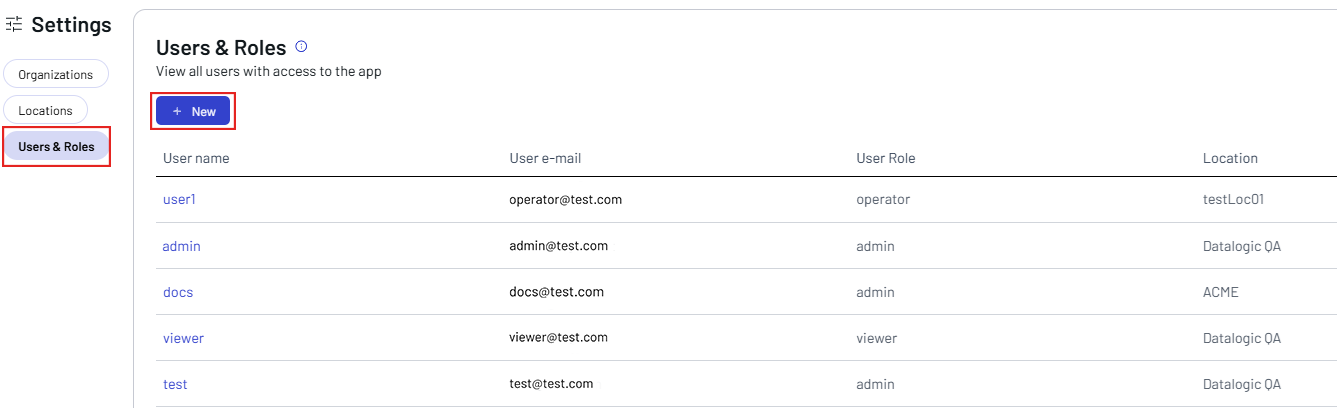
Click + New to add a new user.
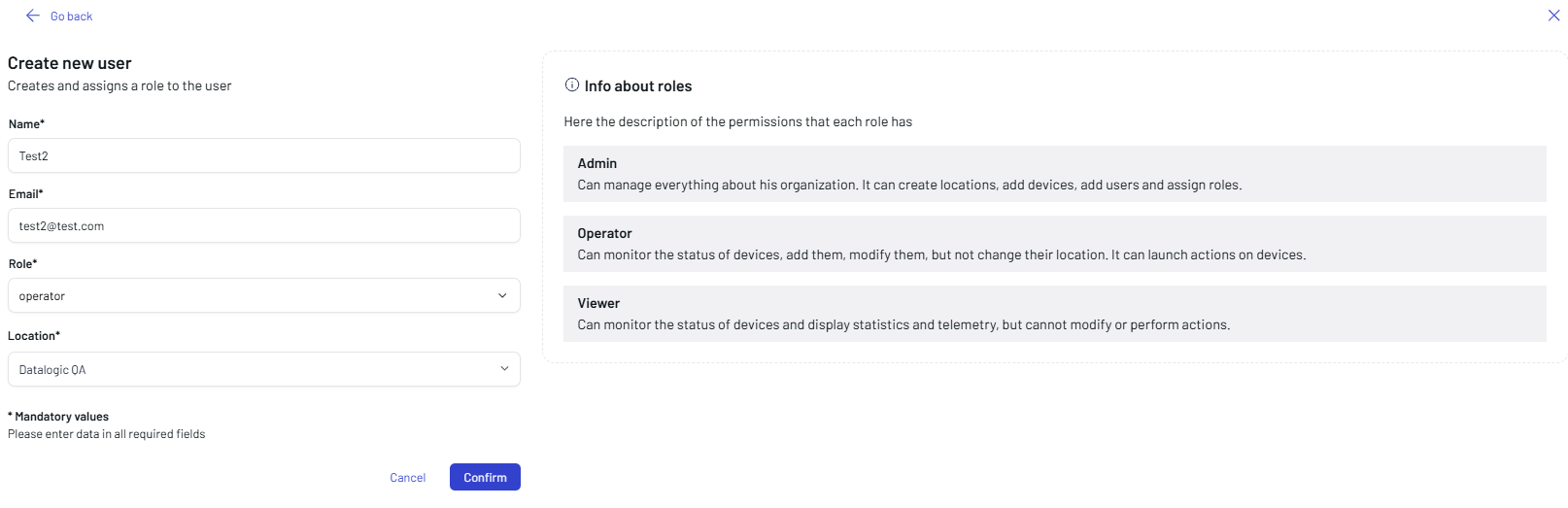
Enter/select the following mandatory data:
- Name
- Role
- Location
You have three options for the role:
- Admin: can manage everything about the organization. It can create locations, add devices, add users and assign roles.
- Operator: can monitor the status of devices, add new devices, modify them, but cannot change their location. It can launch actions on devices.
- Viewer: can monitor the status of devices and display statistics and telemetry, but cannot modify or perform actions.
Click Confirm.
Filter Settings
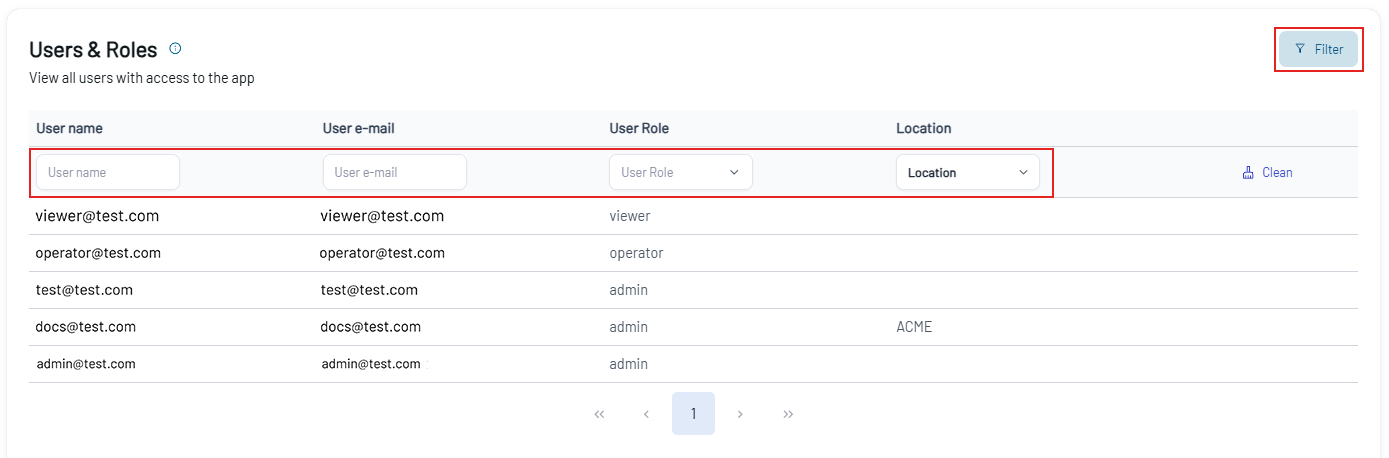
Click the Filter button to apply the filters to the users list. You can filter your search by User name, User e-mail, User Role, and Location.
To clear the selections, click Clean.