Location Tracking
note
This feature is supported only on Datalogic mobile computers with a Premium license.
Use the Location Tracking feature to remotely enable and manage location services on enrolled devices. Administrators can configure custom update intervals to control the frequency of location data syncing.
The is disabled by default. Click On to enable it.

Configure the Location Tracking Settings:
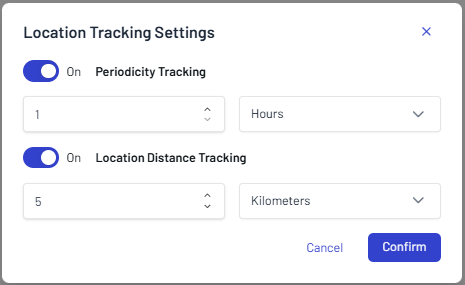
- Periodicity Tracking: Enabled (Location updates will trigger automatically at set time intervals).
- Location Distance Tracking: Enabled (Location updates will trigger whenever the device moves past a specified distance threshold)
note
You can adjust these settings at any time by clicking the Settings button on the top right corner of the Location Tracking screen.
Location Tracking Screen
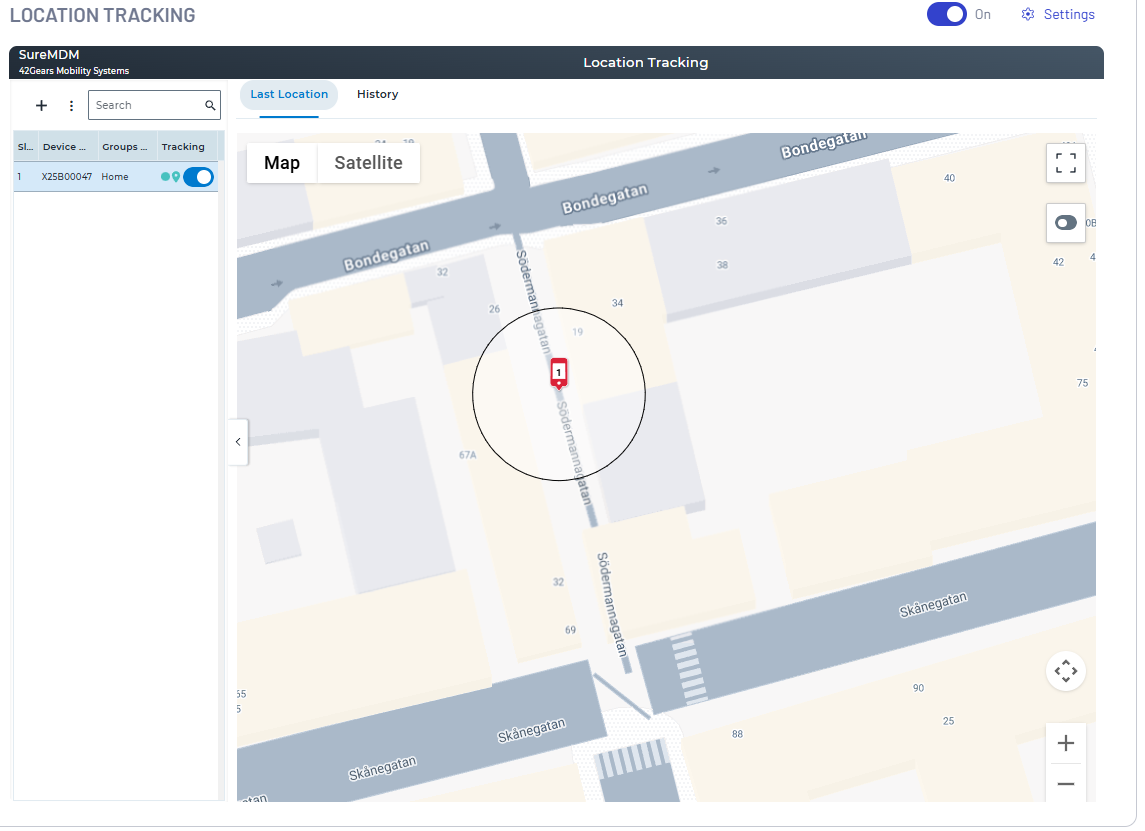
The dashboard provides three distinct methods for tracking and auditing the geographic positions of enrolled mobile computers:
- Last Location: Displays the most recent coordinates sent by the mobile computer during its last scheduled sync.
- Live Location: Initiates a real-time, on-demand tracking session that updates the device's position continuously on the map.
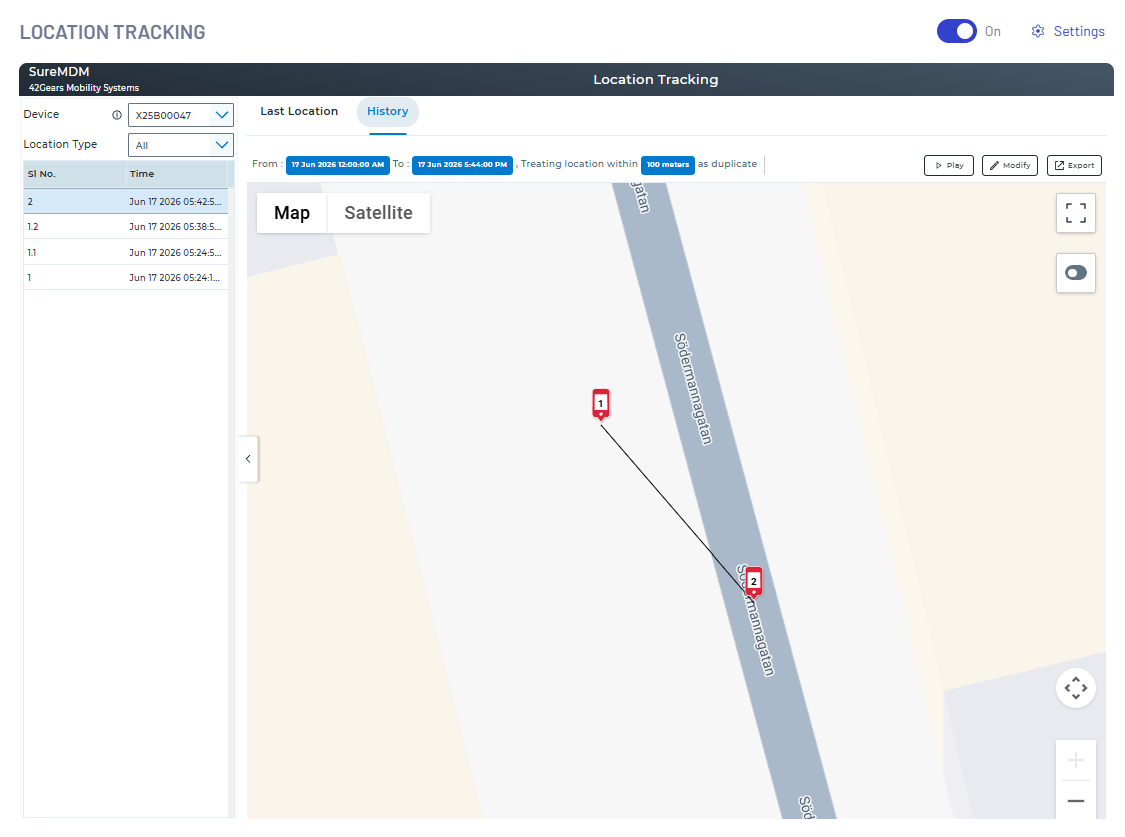
- History: Logs and maps historical route data over a specified date and time range. It visualizes the exact path traveled by the device. The Play button allows administrators to animate and visually audit the exact route taken by a mobile computer over a selected timeframe.