Actions
This function allows to send a command to a group of devices. To use it, you first need to create a device group (see Device Groups).
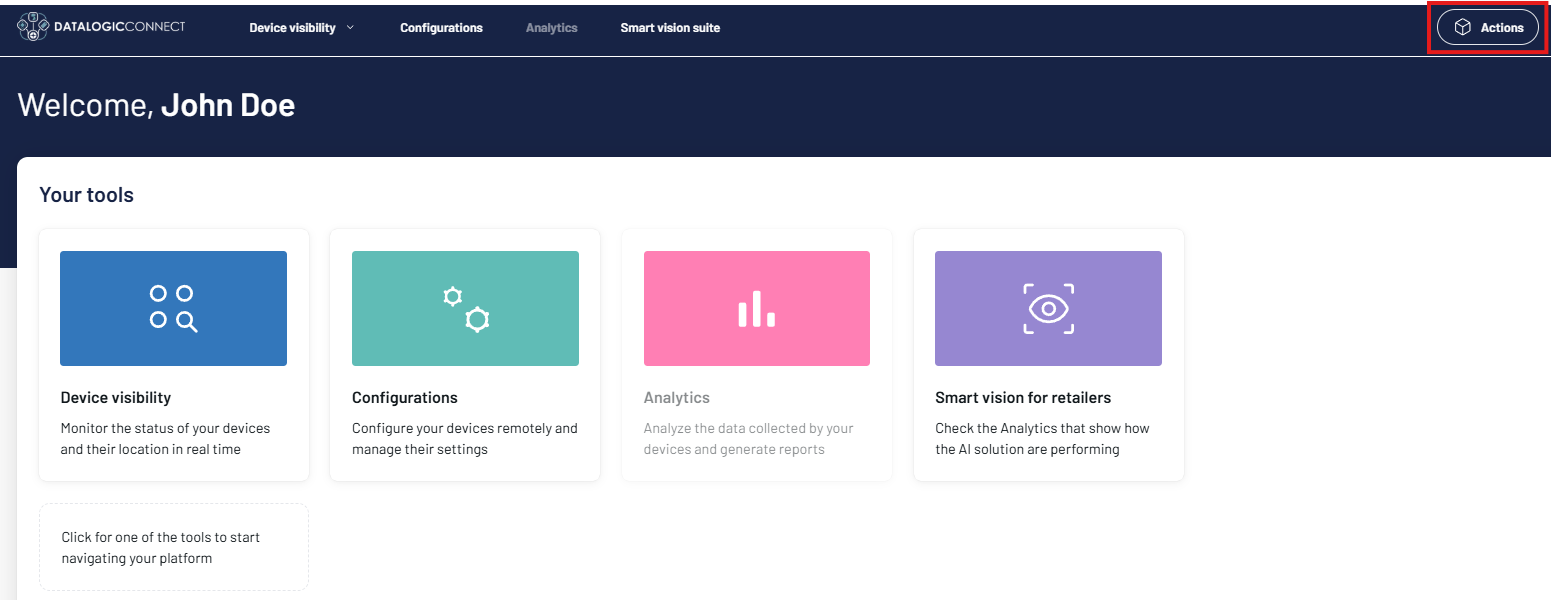
Click the Actions button to open the Actions tab.
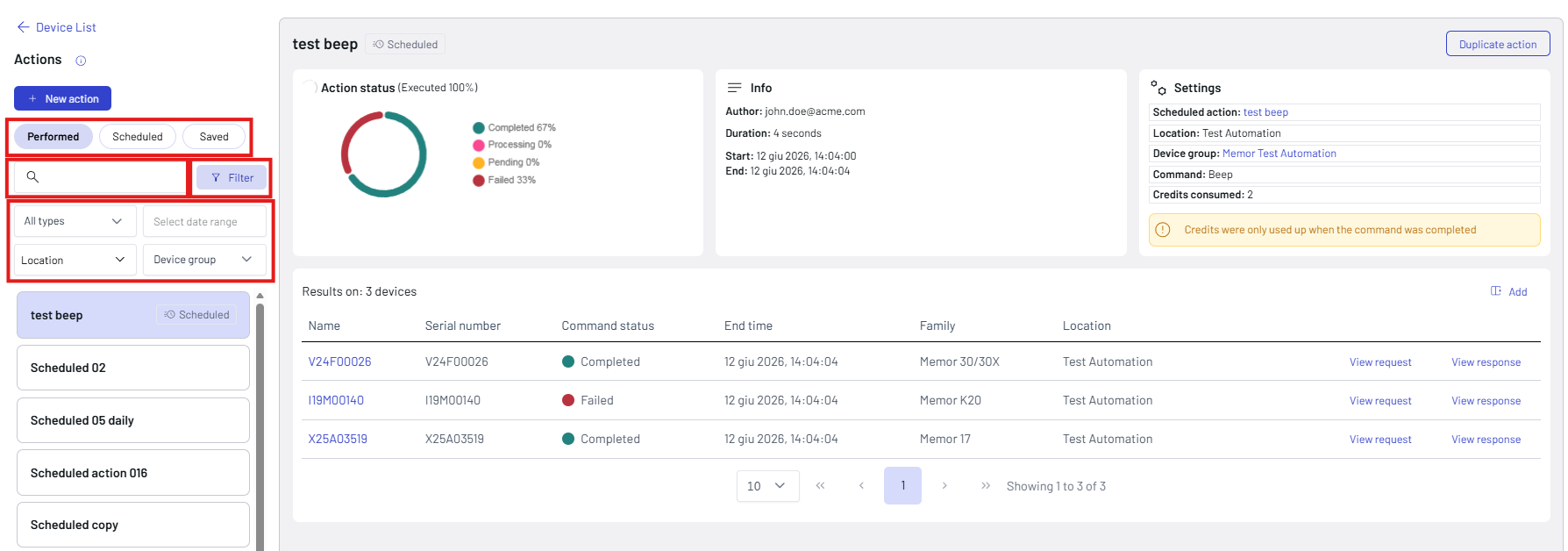
Actions are grouped into three categories:
- Performed: Completed or executed immediately.
- Scheduled: Set to run automatically at a later date or time.
- Saved: Stored as a draft to edit or use later.
You can use the search bar to find an action or filter by type (scheduled/unscheduled), date, location, or device group.
Select an action from the list on the left to display its status, its details, and the affected devices.
To create a new action:
- Click the + New Action button.
-
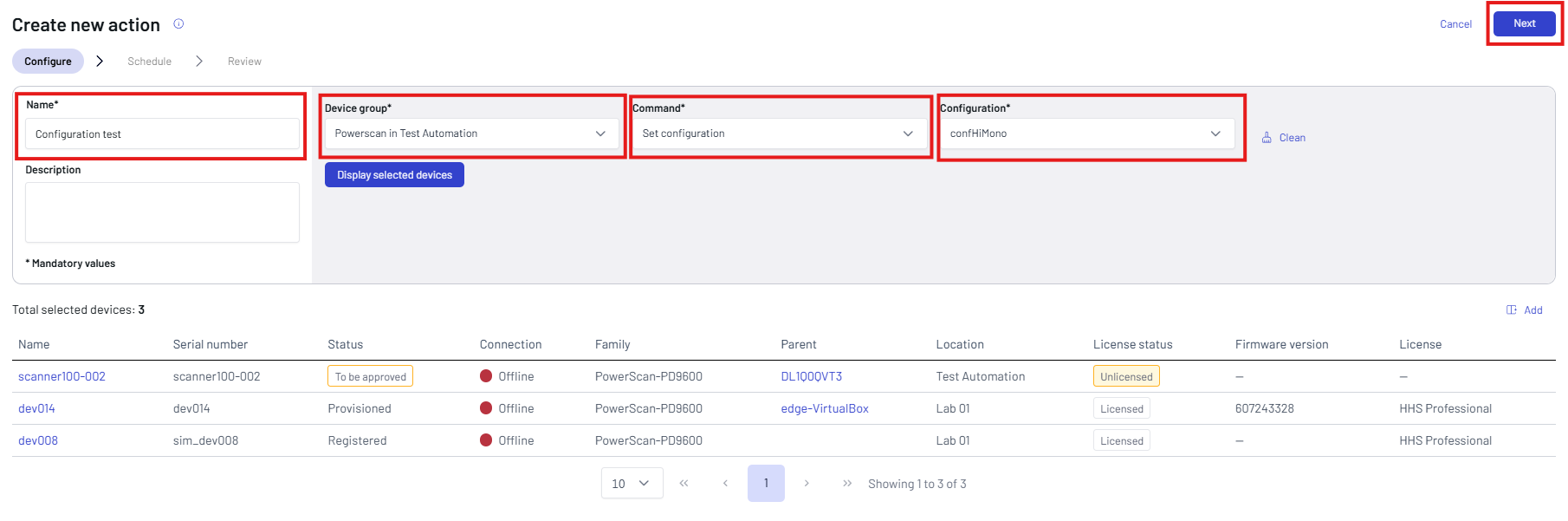
Assign a name to the new action, select a device group, and a command to send to the group. If you choose to set a configuration, select the configuration. The Description is optional. You can click the Display selected devices button to display the devices of the group.
-
Click Next.
-
Select the schedule type.
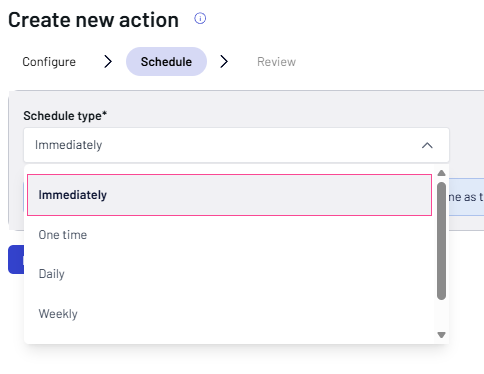
- Immediately: Executes the task right now without any delay.
- One time: Executes once at a specific future date and time.
- Daily: Repeats every day at a chosen time.
- Weekly: Repeats on specific days of the week.Monthly: Repeats once a month on a set date or day. If you decide to schedule your action, set the Start date and Start time. For daily, weekly, and monthly actions, set also the End date.
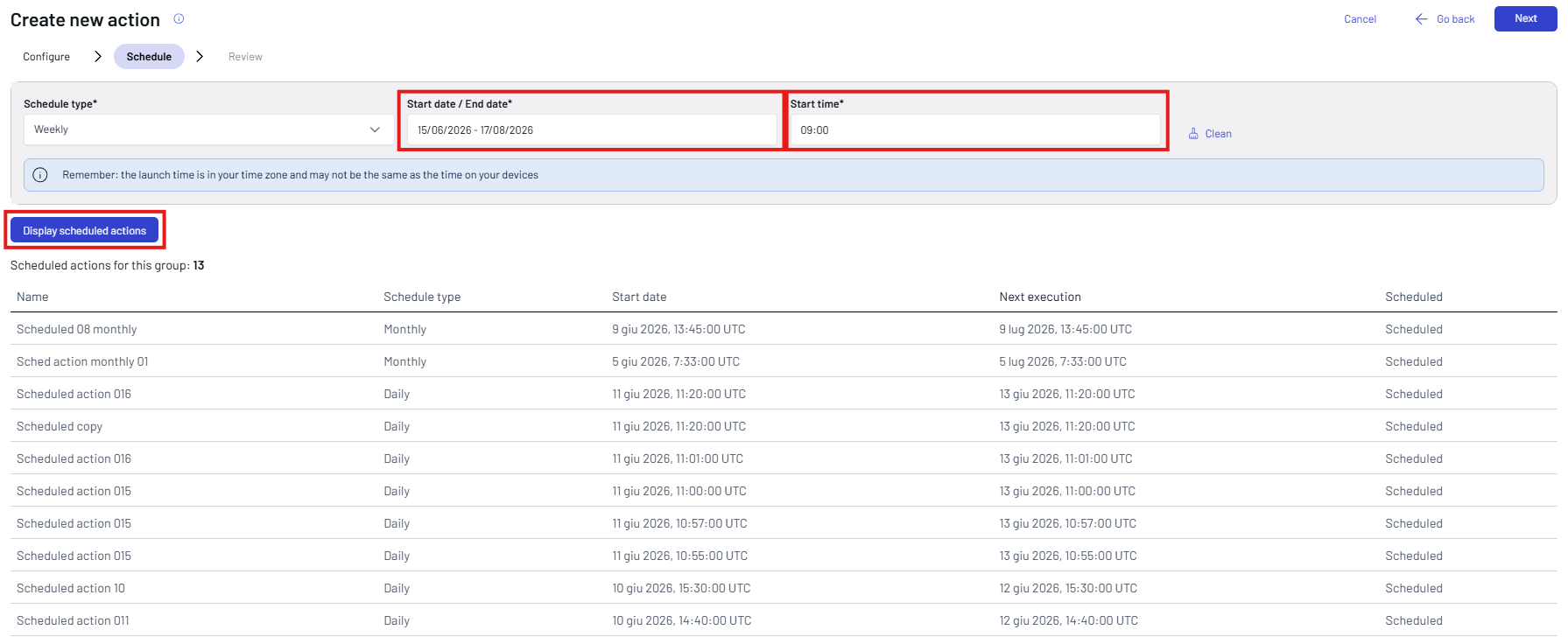
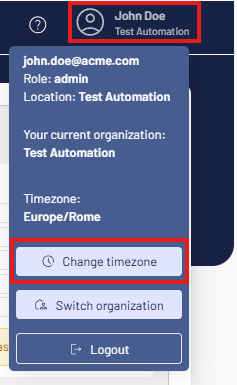
If necessary, click your account name to change your Time Zone.
You can check for other scheduled actions by clicking Display scheduled actions.
-
Click Next.
-
A recap screen allows you to review the action.
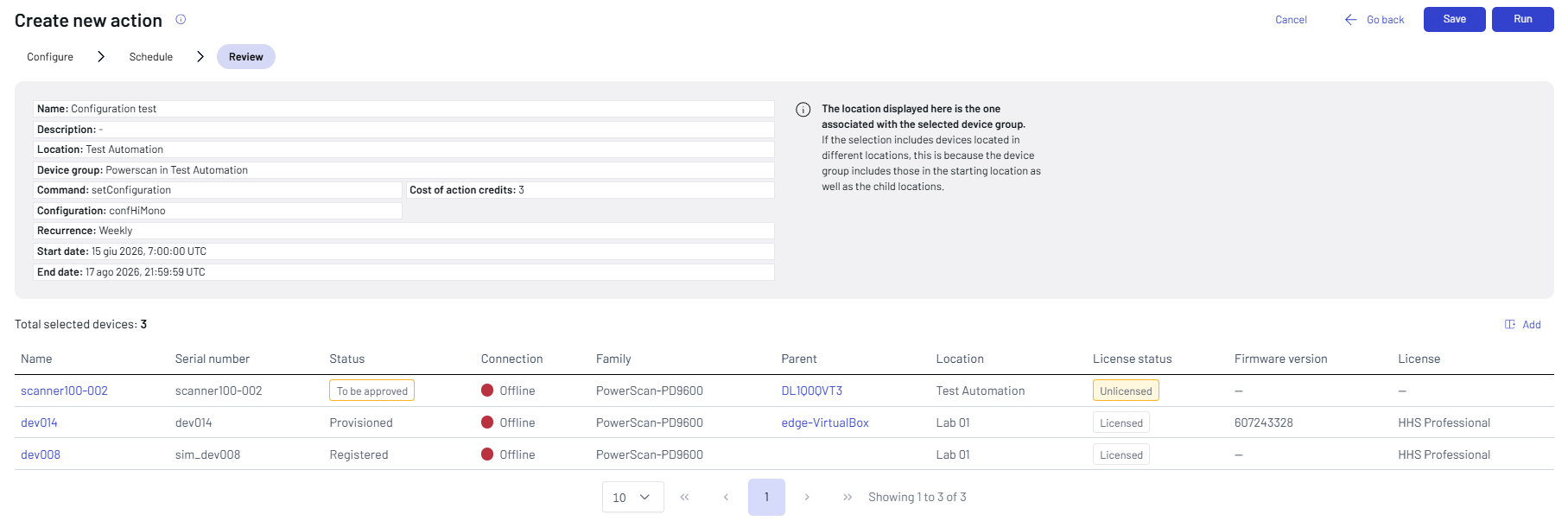
-
Click Go back to change the action, click Run to send it to the selected device group, click Save to store it and keep it as a draft.
-
The new action is added to the actions' list and a report is displayed.
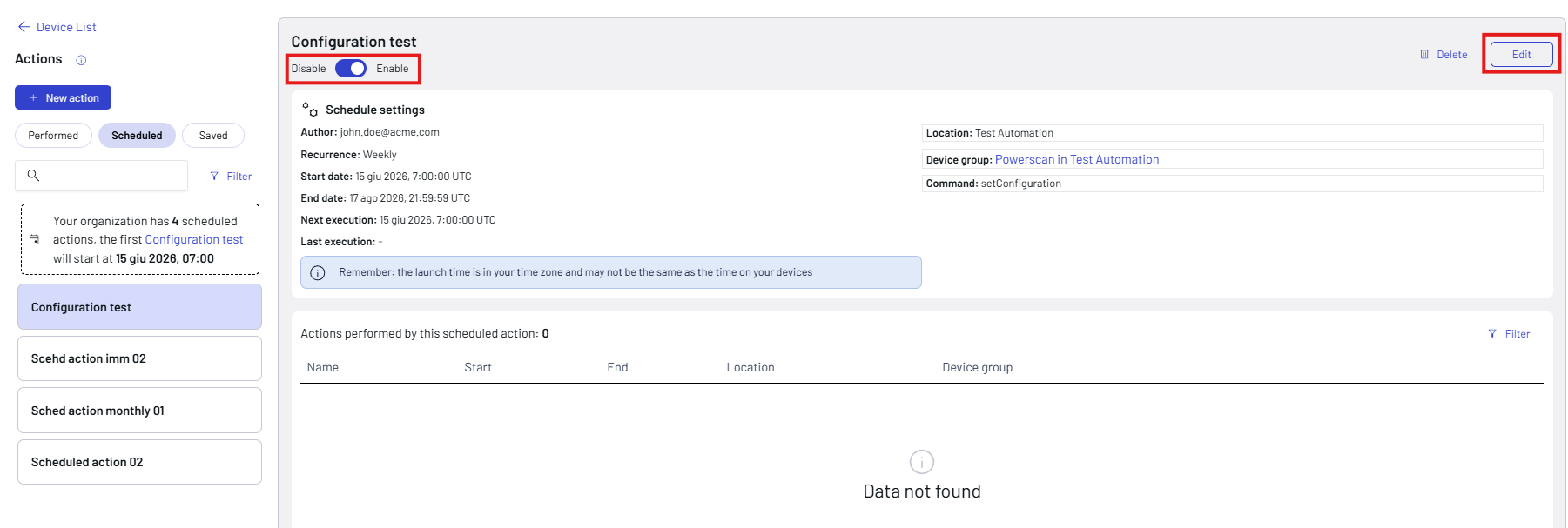
Use the dedicated button to disable/enable a scheduled action.
Click Edit to change the action settings.
Click the Duplicate action button on the right top of the screen to send the action to the same device group or to a different group. In case of a scheduled action, you will need to reset the Start date and Start time.