Filter Settings
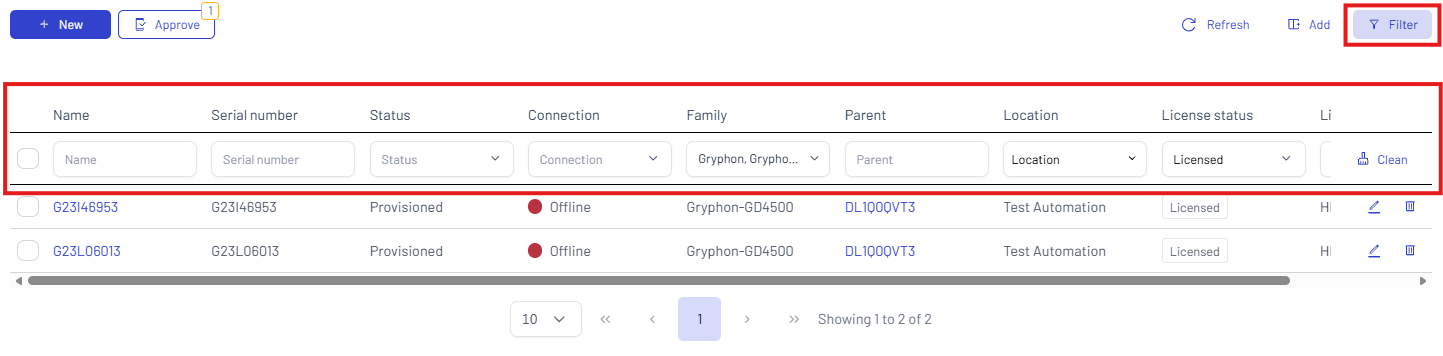
Click the Filter button to apply the filters to the table. You can filter your search by Name, Serial number, Status, Family (you can select one or more families or sub-families), Parent, Location, License status, and License.
To clear the selections, click Clean.
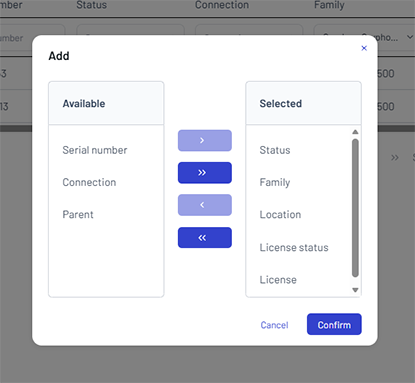
Click the Add button to show/hide one or more items.