Linux
This guide covers the installation and configuration of Aladdin SDS on Linux systems. You will learn how to install the application as a Linux service and configure it to communicate with your IoT Edge server.
Run as a Linux Service
You need sudo privileges on the target machine.
Follow these steps to install and run Aladdin SDS as a Linux service:
-
Download the
.debinstaller from the Aladdin SDS Releases page. -
Copy the file into a preferred folder, for example
/home/Documents/AladdinSDS. -
Change to that folder and install the package:
sudo apt install ./aladdin-sds_X.Y.Z_amd64.deb
By default the package installs into /usr/lib/AladdinSDS.
Configuration File
In the installation folder, edit the config.toml file to set the IoT Edge Gateway IP address. Every option of the file is described in the Configuration reference; the file's Linux-specific location and values are on the Linux reference page.
-
Open the configuration file:
cd /usr/lib/AladdinSDSsudo nano config.toml -
Replace
localhostwith the IoT Edge Gateway IP address:# ----------------------------------------------------------------------------# [edge] - Edge Gateway Configuration# ----------------------------------------------------------------------------# Settings for communicating with the Datalogic edge gateway.[edge]# host - Edge gateway hostname or IP address# Network address of the edge gateway for cloud connectivity.# Values:# - "localhost": Gateway running on same machine (development/testing)# - IP address: Remote gateway (e.g., "192.168.1.100")# - Hostname: DNS-resolvable name (e.g., "edge-gateway.local")host = "localhost" -
Save and exit using these keys:
Ctrl + X # to close the fileY # to accept the changeEnter # to exit -
Restart the service to apply the configuration change:
sudo systemctl restart aladdin-sds.service -
Verify the service status:
sudo systemctl status aladdin-sds.service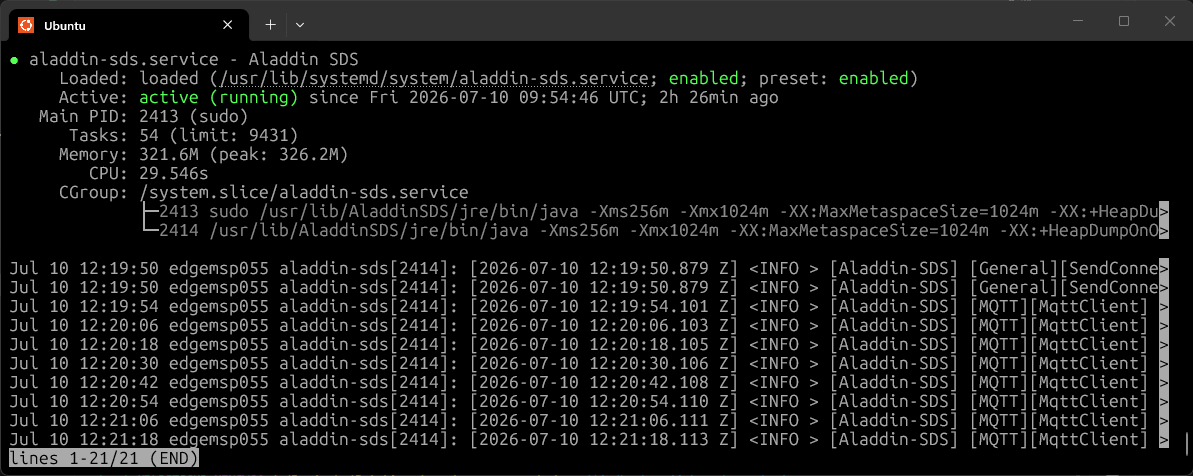
You can find the OpenAPI documentation at http://localhost:9000/docs.
By default the API listens on localhost only. To reach the OpenAPI documentation from another machine, set host = "0.0.0.0" in the [http] section of config.toml and open http://<pos-ip-address>:9000/docs; use https only when tlsEnabled = true. See HTTP API Server.