Mobile Computers
Mobile Computer Commands
Click the Commands button to send a command to the device.
You can send the following commands to a Mobile Computer:
- Beep - makes the device beep.
- Reboot device - performs a reboot.
- Start log - begins a log session.
- Stop log - ends a log session.
- Show message - displays a message notification.
- Get Logs - displays the device logs.
- Change configuration - installs configuration changes.
- Unenroll device - disconnect the device from the platform.
You can also monitor your available license credits. Click Details to display the cost of each command.
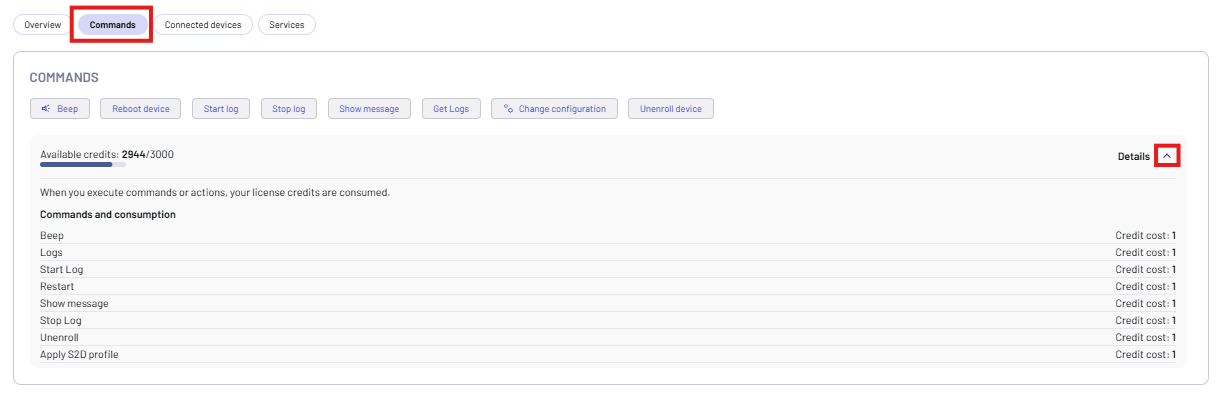
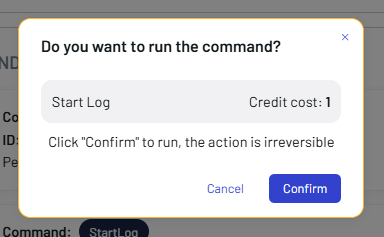
Click the related button to send a command, then click Confirm. The confirmation dialog shows the cost of the selected command.
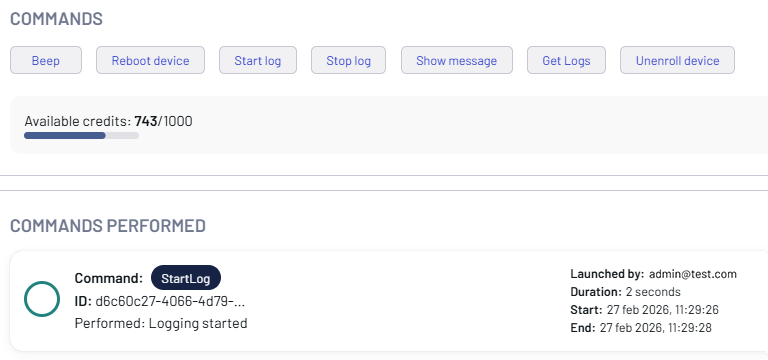
The result is shown in the COMMANDS PERFORMED box.
Get Logs
To be able to retrieve the logs from the device, run the Start log command to initiate a log session and run the Stop log to terminate the session.
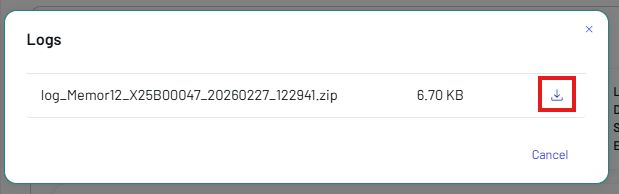
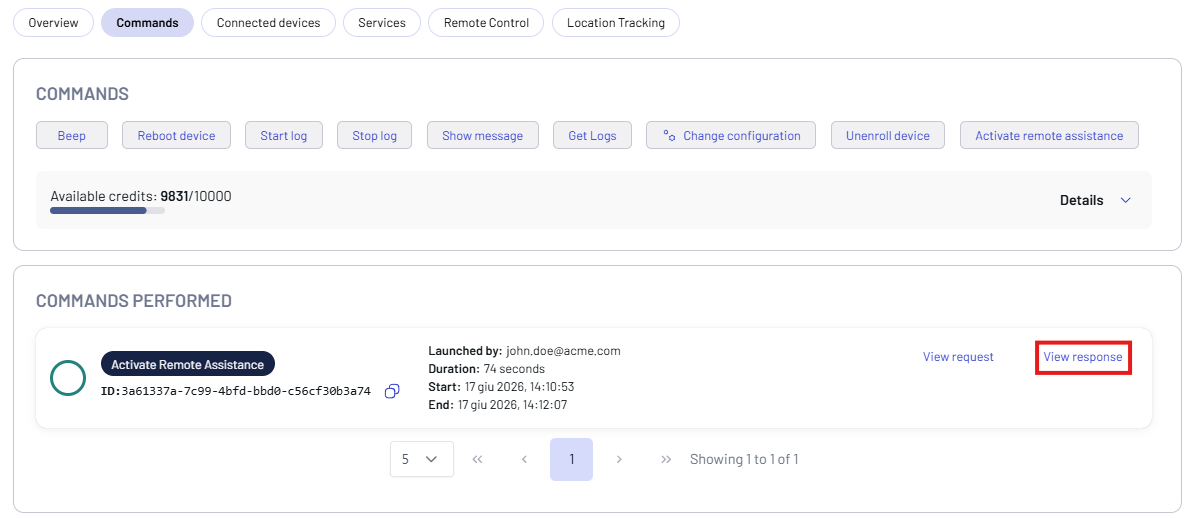
The Get Logs button allows to retrieve the device logs from the mobile computer. Once the command is executed, click the View response button in the COMMANDS PERFORMED box to display the command result. The logs can be downloaded in .zip format.

Click the View response button in the COMMANDS PERFORMED box to display and download the device logs.
Change Configuration
This feature is supported only on Datalogic mobile computers with a Professional license.
Click the Change configuration button to install configuration changes.
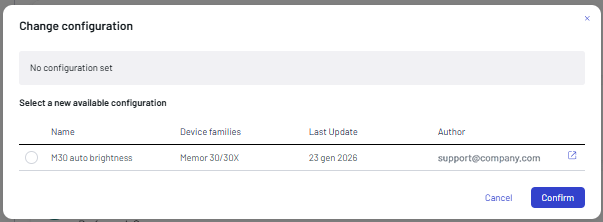
Click the external link icon on the right to display the configuration details.

Select a configuration, then click Confirm.
Remote Control
This feature is supported only on Datalogic mobile computers with a Premium license.
The Remote Control feature allows to access, view, and control deployed mobile computers. Key capabilities include real-time screen sharing, remote device control, file explorer access, and clipboard management, as well as task monitoring, volume control, screenshot capture, and custom command execution.
To enable the Remote Control feature follow the steps below:
-
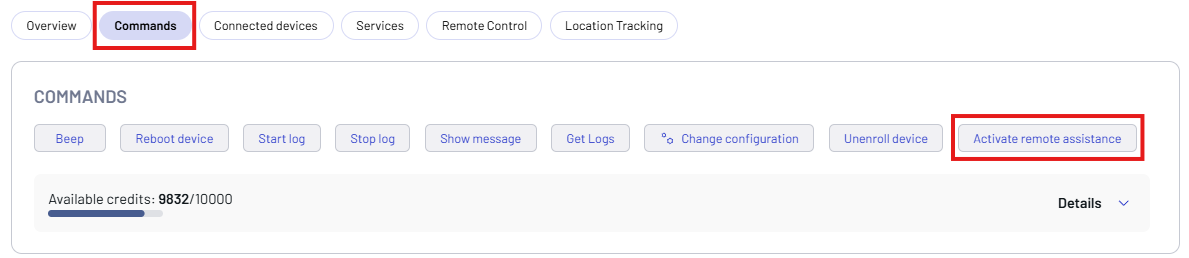
Click the Activate remote assistance button on the Commands tab.
-
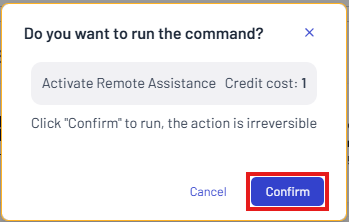
Click Confirm.
-
Click View response to display a report of the command.
-
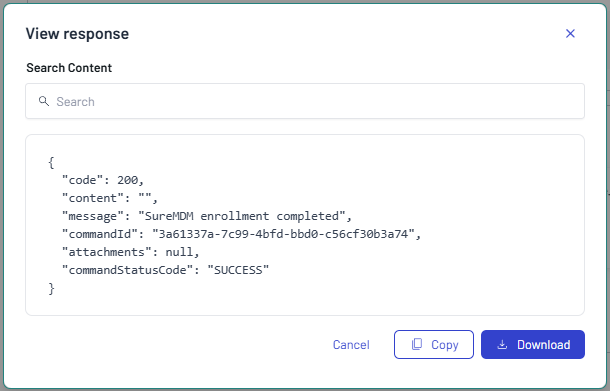
Click Copy to copy the report, or click Download to download it.
Remote Control Screen
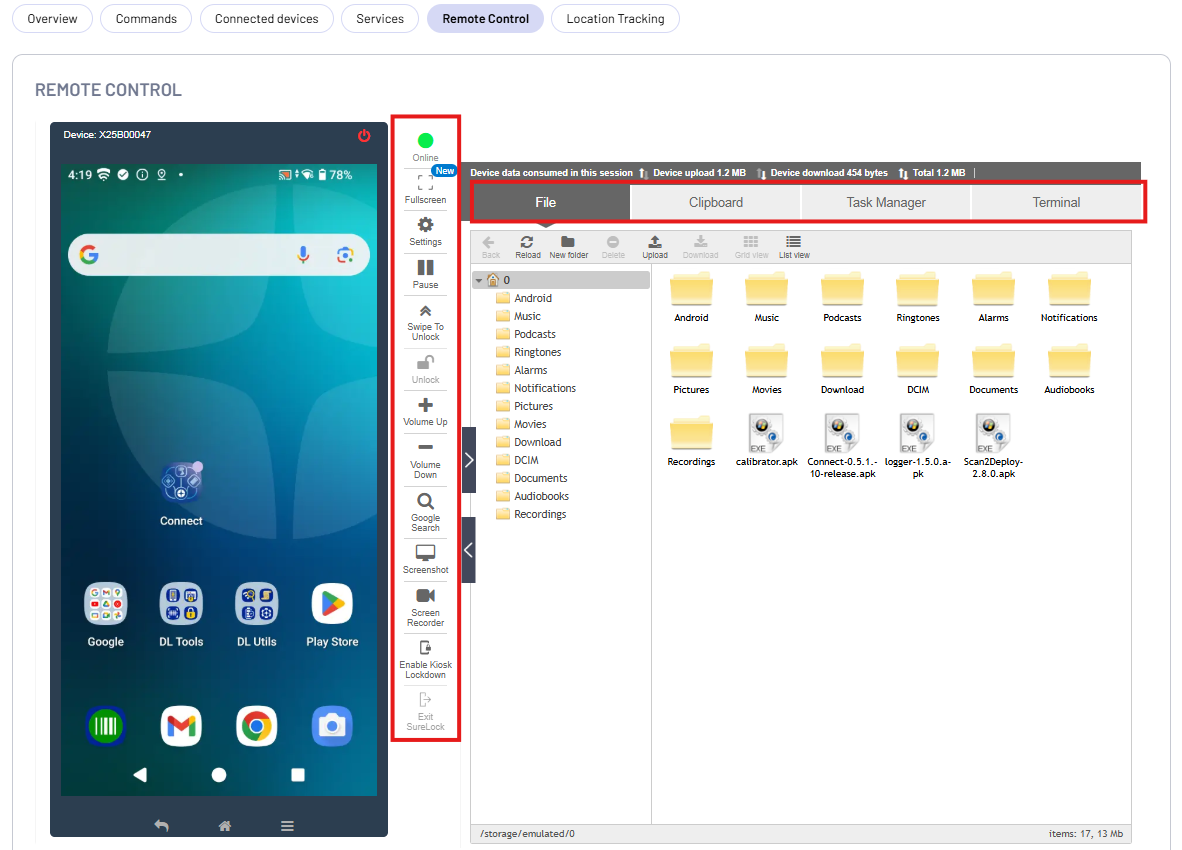
The remote screen is displayed on the left side of the Remote Control screen. The right side of the screen has the following options:
- File – Access files stored on the internal storage of the end user’s device.
- Clipboard – Send, read, and clear text from device clipboard.
- Task Manager – Monitor processes with CPU Usage, RAM Usage, and applications running on the remote device.
- Terminal - Use the command lines to send commands and run scripts on Android devices.
The Remote Control Bar provides real-time session management utilities, display optimization settings, device hardware simulations, and dedicated security controls for managing deployed mobile computers.
- Online (Device Status): Displays the live connection state of the mobile computer. It confirms if the device is actively communicating with the console.
- Fullscreen: Expands the remote session window to full-screen mode for better visibility and precise troubleshooting.
- Settings: Opens configuration options to rotate the screen view or adjust screenshot image quality.
- Play / Pause: Starts or freezes the real-time screen sharing action. Pausing the stream maintains the session connection while stopping live data consumption.
- Swipe to Unlock: Simulates a physical swipe gesture on the remote display screen to bypass the active lock screen layer.
- Unlock: Remotely wakes up the managed mobile computer and unlocks the interface directly from the console interface.
- Volume Up / Down: Remotely increase or decrease the volume levels of the device.
- Google Search: Opens a dedicated text lookup field to scan and locate specific words, errors, or phrases within the active remote display window.
- Screenshot: Capture and download screenshot in .webp format.
- Screen Recorder: Records real-time session video clips of the device screen.
- Enable Kiosk Lockdown: Remotely triggers and applies the SureLock profile layer on the target mobile computer, converting it into a locked down multi-app or single-app enterprise kiosk.
- Exit SureLock: Disables the active lockdown environment from the console, restoring standard operating system layout access to the technician for deeper configuration changes.
Location Tracking
This feature is supported only on Datalogic mobile computers with a Premium license.
Use the Location Tracking feature to remotely enable and manage location services on enrolled devices. Administrators can configure custom update intervals to control the frequency of location data syncing.
The is disabled by default. Click On to enable it.

Configure the Location Tracking Settings:
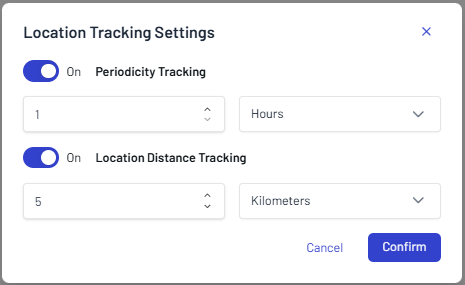
- Periodicity Tracking: Enabled (Location updates will trigger automatically at set time intervals).
- Location Distance Tracking: Enabled (Location updates will trigger whenever the device moves past a specified distance threshold)
You can adjust these settings at any time by clicking the Settings button on the top right corner of the Location Tracking screen.
Location Tracking Screen
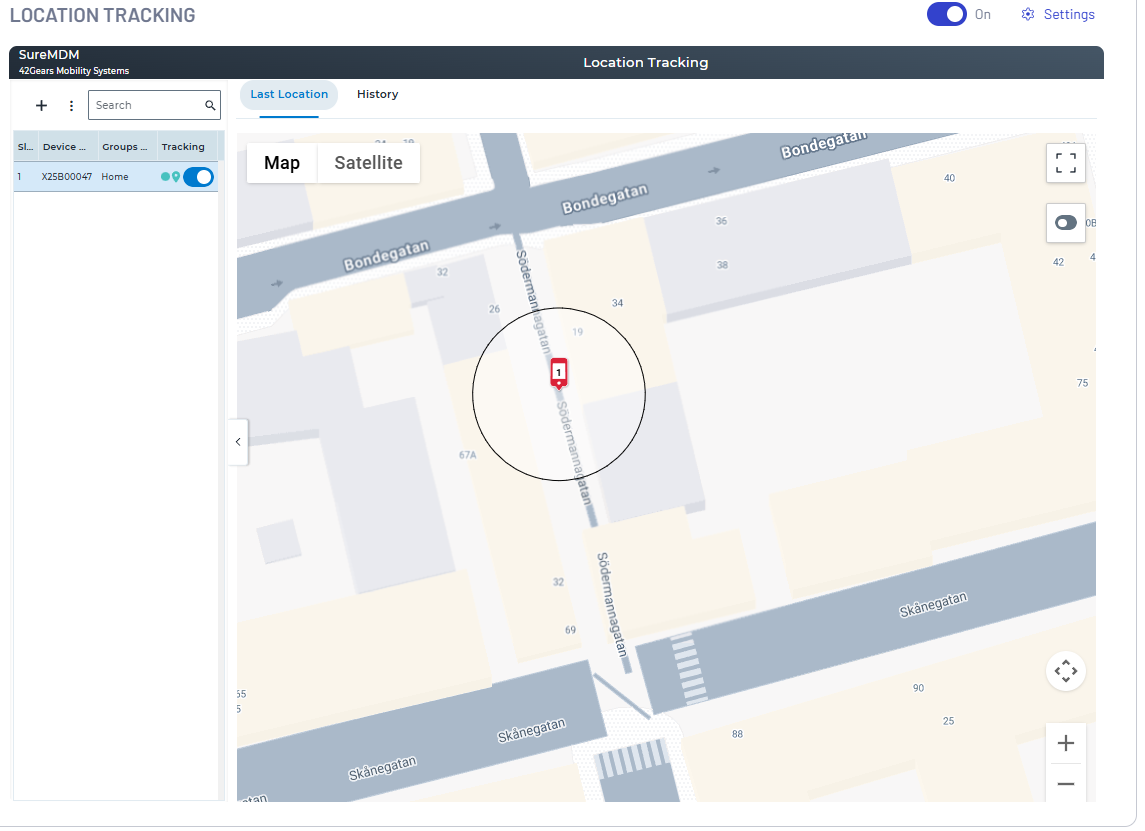
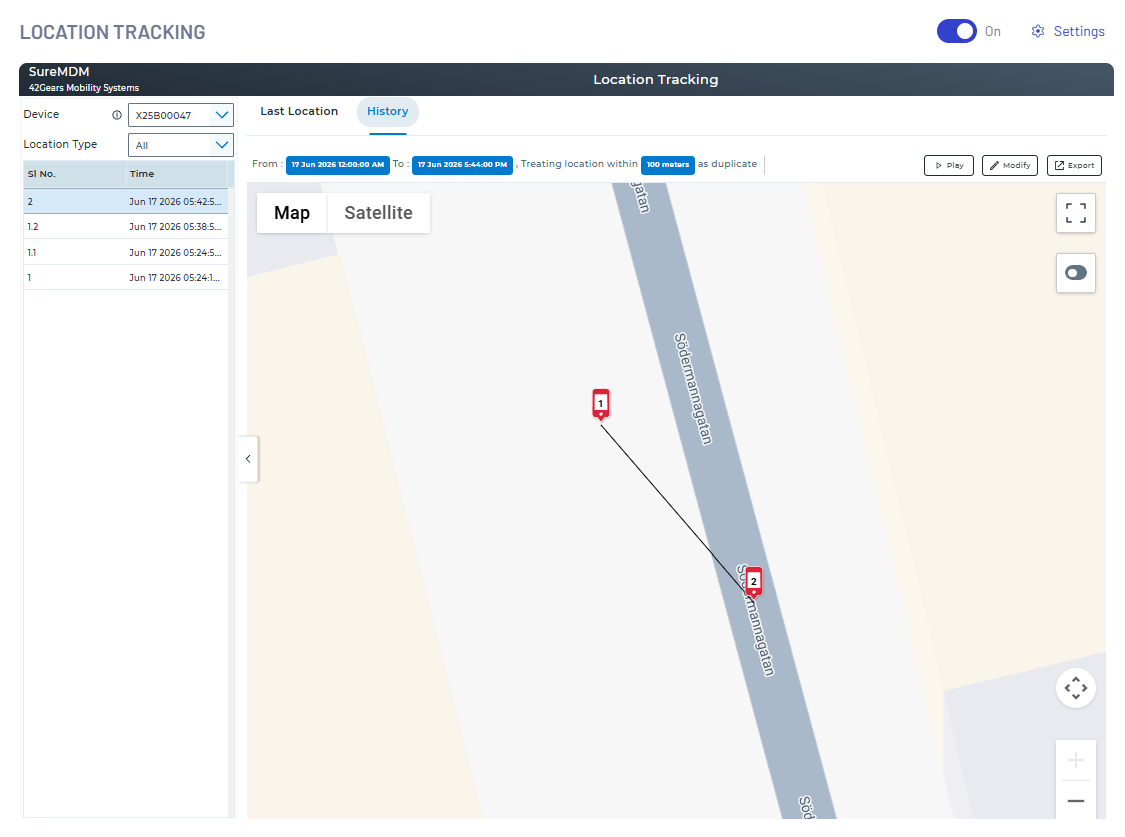
The dashboard provides three distinct methods for tracking and auditing the geographic positions of enrolled mobile computers:
- Last Location: Displays the most recent coordinates sent by the mobile computer during its last scheduled sync.
- Live Location: Initiates a real-time, on-demand tracking session that updates the device's position continuously on the map.
- History: Logs and maps historical route data over a specified date and time range. It visualizes the exact path traveled by the device. The Play button allows administrators to animate and visually audit the exact route taken by a mobile computer over a selected timeframe.