Fixed Retail Scanners
Fixed Retail Scanner Commands
Open the device from the Device List, then click the Commands tab to send a command to the device.
You can send the following commands to a fixed retail scanner:
- Beep - makes the device beep.
- Reboot device - resets the device (listed as Reset under Details).
- Get Logs - retrieves the device logs as a ZIP file.
- Change configuration - installs configuration changes.
The page also shows the Available credits of the device license. Click Details to display the cost of each command.
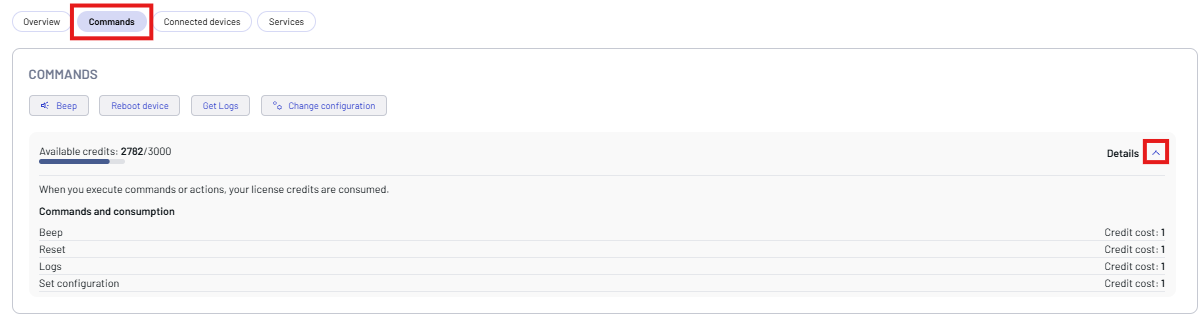
Click the button of the command you want to send, then click Confirm.
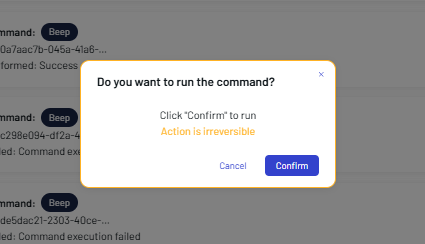
The result is shown in the COMMANDS PERFORMED box.

Fixed Retail Scanner Logs
The Get Logs button retrieves the device logs from the fixed retail scanner. Once the command is executed, click View response in the COMMANDS PERFORMED box to display and download the result as a ZIP file.
Log retrieval depends on the model and host interface, see Supported Devices.
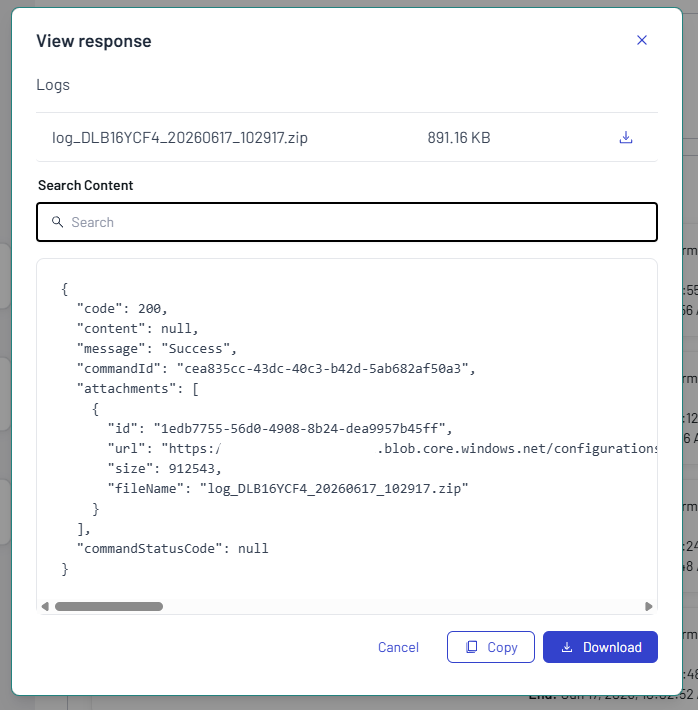
Fixed Retail Scanner Configuration
This feature is supported only on Datalogic fixed retail scanners with a Professional license.
Click the Change configuration button to install configuration changes.
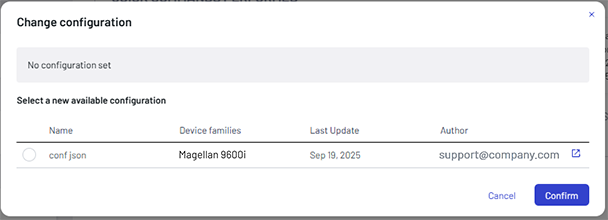
Click the external link icon on the right of a configuration to display its details.

Select a configuration, then click Confirm. To add a configuration to the platform, see Upload a new configuration.